


 Whatsapp
  Facebook
  Mail
Mail  Copy link
 Calibrating your AccuPro 360ST
Following this guide to maintain the accuracy and reliability of your AccuPro 360ST rotary spreader, to ensure optimal application every time it is used.
16 January 2026
2 mins
On this page:
Before you start
Make sure the spreader is empty and clean. Calibration should always be done before setting application rates.
Step 1: Check the current calibration
Set the spreader handle to setting 12.
Insert the ICL Calibration Key into the port hole
If the key fits snugly, the spreader is correctly calibrated. No adjustment is needed. If the key does not fit snugly, continue to Step 2.
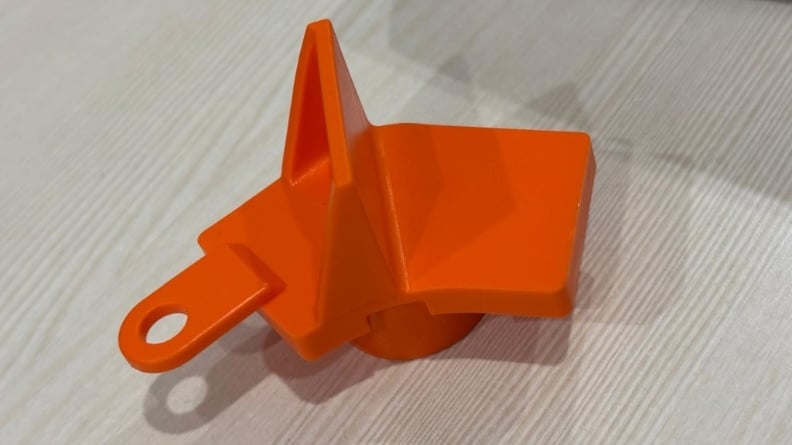
Calibration key for the AccuPro 360ST
Step 2: Adjust the calibration
Loosen the rod end at the handle.
Slowly slide the rod to adjust the port opening until the Calibration Key fits snugly.
Retighten the rod end at the handle.
Remove the ICL Calibration Key.
Your AccuPro 360ST spreader is now correctly calibrated and ready for accurate application.

Further reading


Our knowledge
Tips & tricks, disease prevention, scientific results and more
Explore our knowledge hub